“Pay and Play” with Octopus on iPhone!
Simple. Octopus on iPhone can be used to pay for Apple Services, in addition to transportation and in-store shopping.

Add Octopus to Apple Account as the default payment method, keeping purchases and subscriptions all in one summary.
From 1 June 2026 until 31 August 2026 (Promotion Period), complete the tasks within the Promotion Period to earn $50 Octopus Top-up Value!
Learn more
Simple. Octopus on iPhone can be used to pay for Apple Services, in addition to transportation and in-store shopping.

No more negative balance! Top up automatically with a daily limit, the service reloads only once a day.

For teens and budget planning. Prepaid helps you to stay ahead of your budget and avoid overspending.

Secure. After set-up, payments will work with Face ID or Touch ID. You’ll no longer need to verify them through codes, secret questions or passwords.

Convenient. Use your payment method from any device.
1. Add Octopus to iPhone
Add now2. Add Payment Method to your Apple Account via Octopus App or iPhone Setting
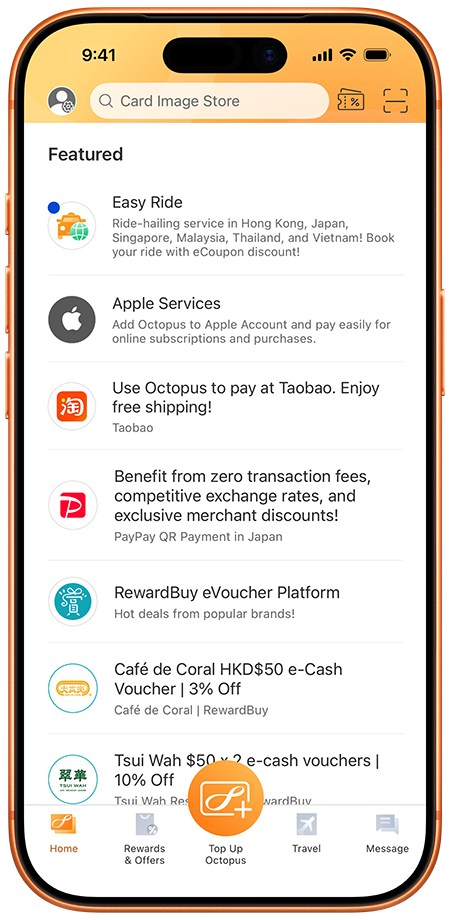
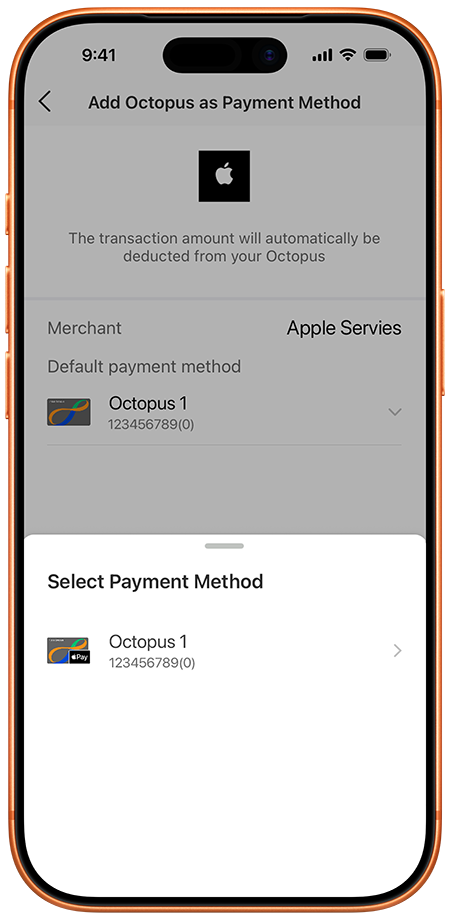
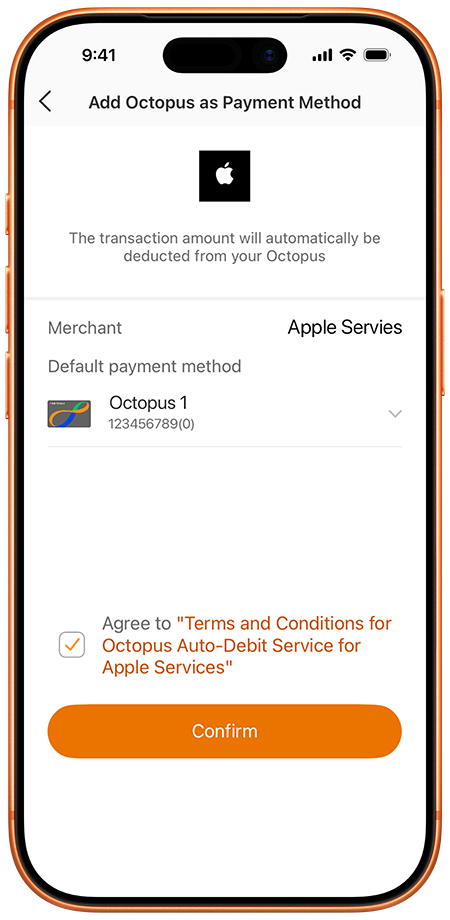
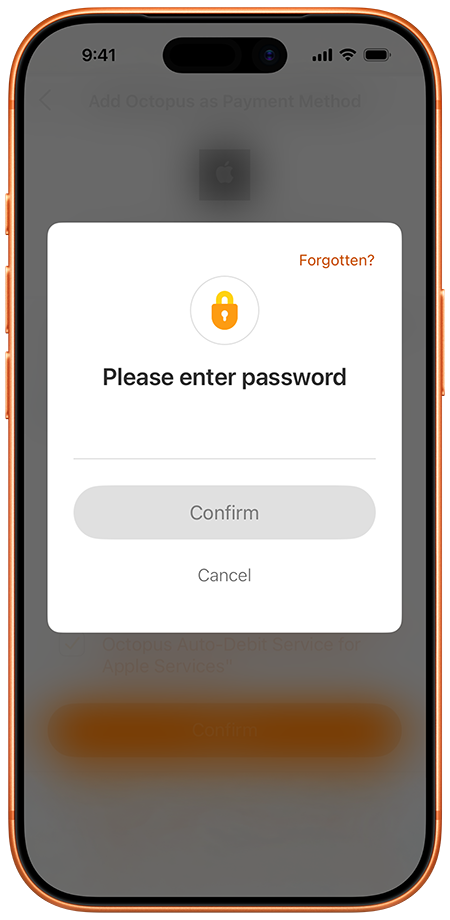
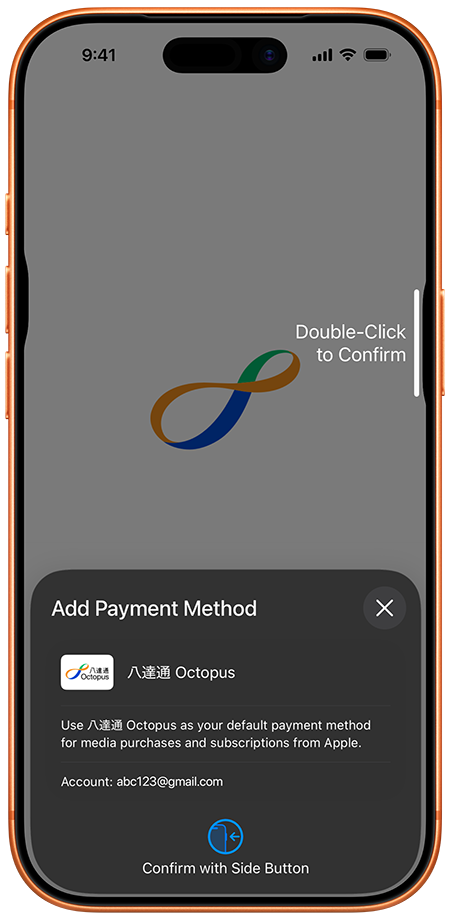
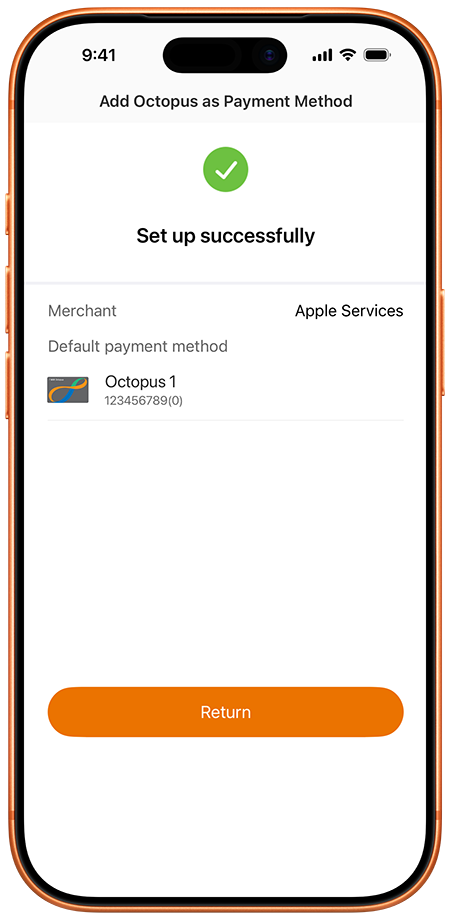
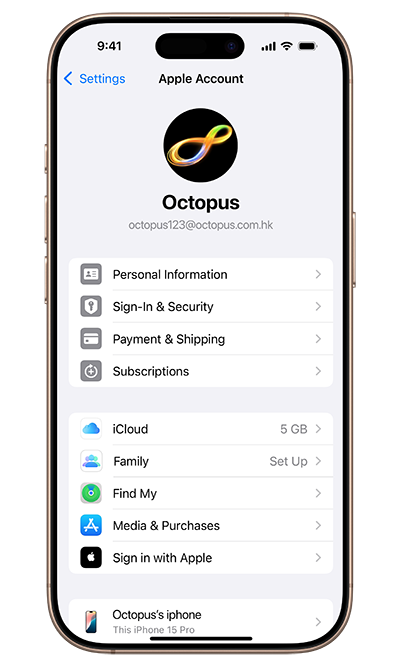
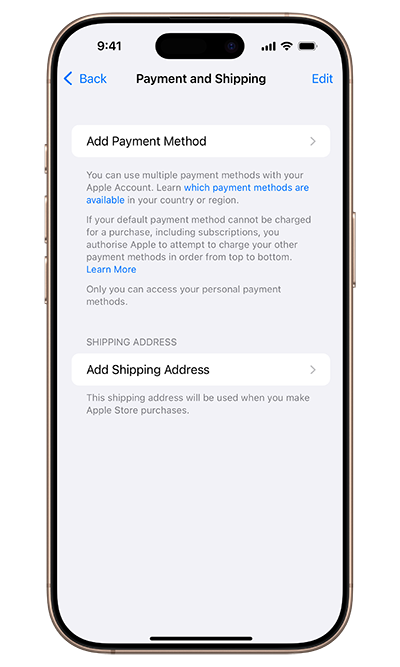
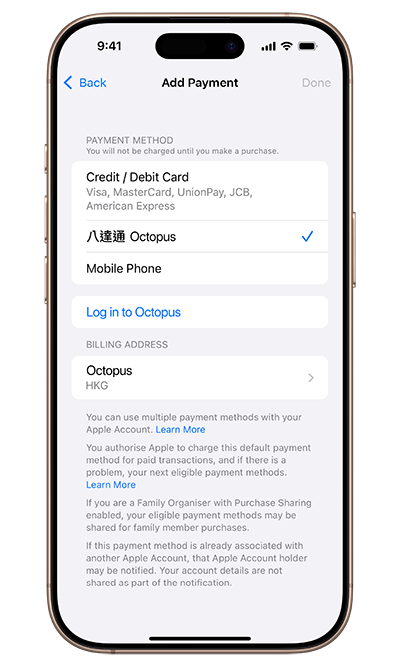
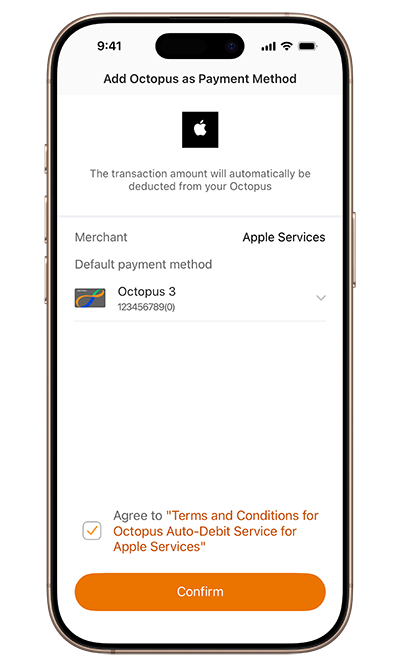
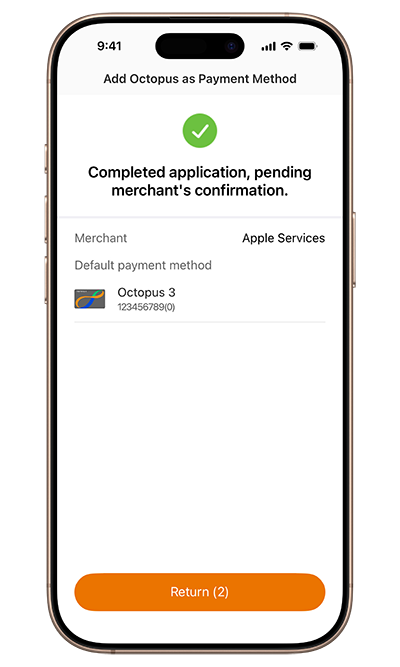
Add Octopus as a payment method in your Apple Account

3. Already added Octopus to Apple Account? Experience now!
3. Experience Apple Services
 Find the apps you love.
App Store. Transform the way you do anything with apps that help you create, learn, play games or just get more done.
Learn more Lose yourself in 100 million songs.
Apple Music. Hear sound all around you with spatial audio with dynamic head tracking. Discover new tracks and curated playlists.
All ad-free. Online or off.
 Discover your new favourite show.
Apple TV+. Watch critically acclaimed Apple Original shows and movies from the most creative minds in TV and film.
Learn more Keep your memories safe and sound.
iCloud+. Get plenty of space for the things that matter. Store your photos, videos, files and more across all your devices.
Learn more Millions of podcasts with something for everyone.
Apple Podcasts. Listen to audio stories that entertain, inform, and inspire. Explore shows you’ll love from entertainment and comedy to news and sports.
Learn more