For Applicants Who Do Not Yet Hold a JoyYou Card
If you do not currently hold a JoyYou Card, you may apply for a new Mobile JoyYou Card through the Octopus App.
If you already hold a Physical JoyYou Card, do not apply again. Select “Transfer Physical JoyYou Card to Mobile JoyYou Card” in the Octopus App and follow the steps.
Check Before You Start, Please Prepare
- A compatible mobile phone and operating system* compatible with Mobile JoyYou Card;
- The latest versions of the following apps downloaded on the applicant’s phone:
- Octopus App; and
- “iAM Smart” mobile app, with the applicant logged in to the “iAM Smart” account;
- The applicant’s Hong Kong Smart Identity Card;
- The applicant’s Hong Kong correspondence address, mobile phone number and email address; and
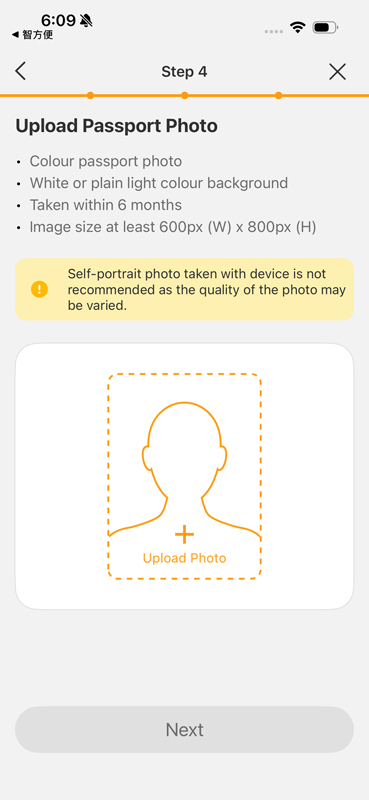
- A colour passport photo of the applicant taken within the last 6 months.
* iPhone: iPhone 8 / iPhone 8 Plus or later with the latest version of iOS; Android Phone: Phones equipped with NFC functionality, running Android 12 or above, or EMUI 13 or above, sold by authorised retailers in Hong Kong. Click here for more details about Android phone models that have been tested and demonstrated good performance. Click here for more details about unsupported Android phone models. Mobile JoyYou Card is not applicable to Apple Watch and other smart watches.
Photo Requirements
- Colour passport photo;
- White or plain light coloured background;
- Taken within the last 6 months; and
- At least 600 pixels wide by 800 pixels high.
Please Note
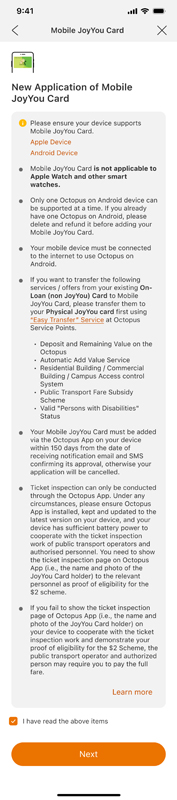
- Mobile JoyYou Card is not applicable to Apple Watch and other smart watches.
- An Android phone supports only one Mobile Octopus at a time. If you already have an Octopus on Android on your phone, please delete it and apply for a refund before adding Mobile JoyYou Card.
- Uninstalling the Octopus App will also remove Mobile JoyYou Card on Android from that phone and may cause the Mobile JoyYou Card to become invalid, unless you have completed the necessary backup procedure.
- If you need to transfer the Mobile JoyYou Card to another phone, please complete the backup procedure in the Octopus App first.
Application Steps
1
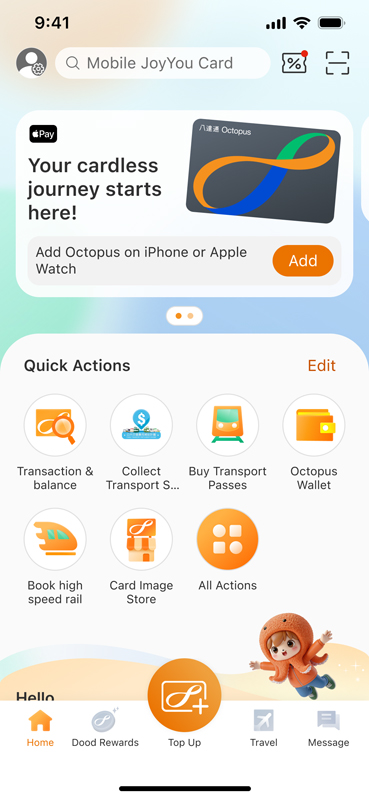
Open the Octopus App. Under “Quick Actions” on the main page, tap “All Actions”.
2
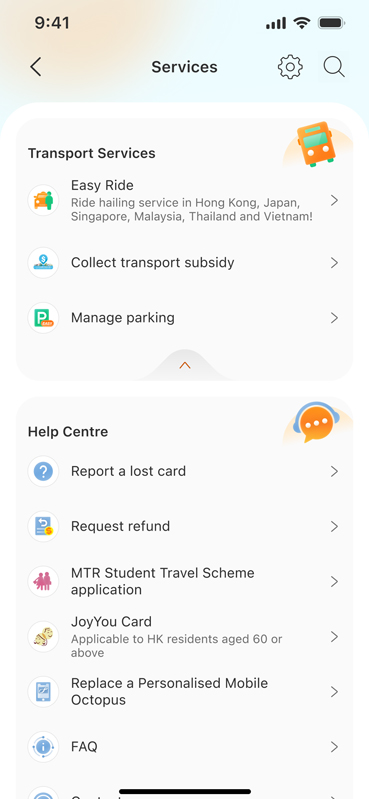
Tap “JoyYou Card” under “Help Centre”.
3
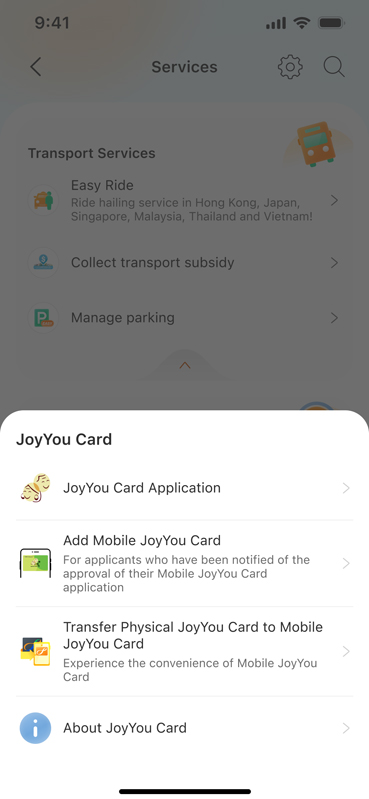
Tap “Apply for JoyYou Card”.
4
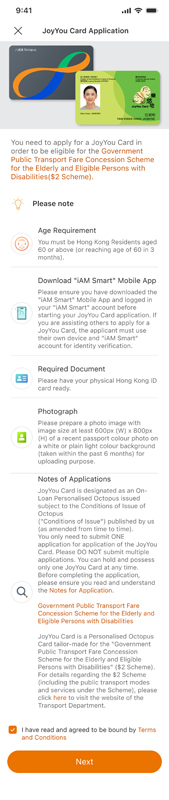
Read and accept the Terms and Conditions, then tap “Next”.
5
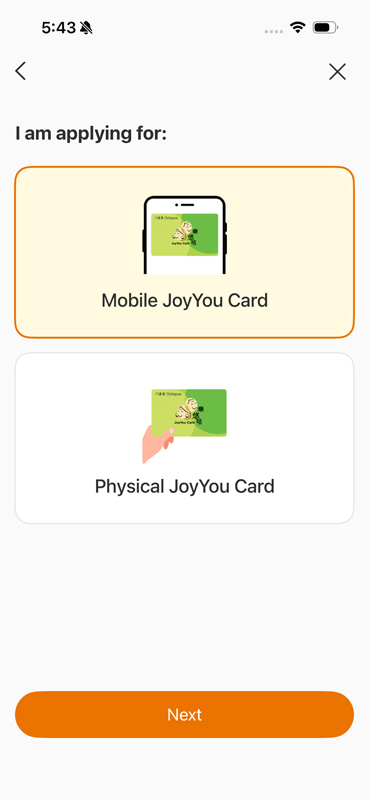
Under card type, select “Mobile JoyYou Card”, then tap “Next” and “Confirm” the card type you are applying for.
6
Review the information, accept the Terms and Conditions of “Mobile JoyYou Card Application”, then tap “Next”.
8
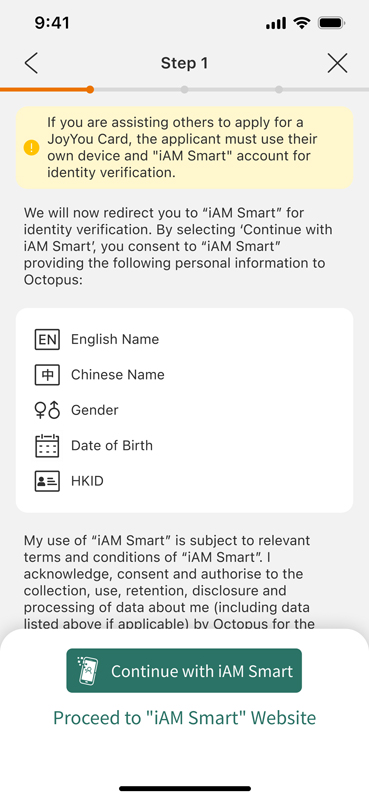
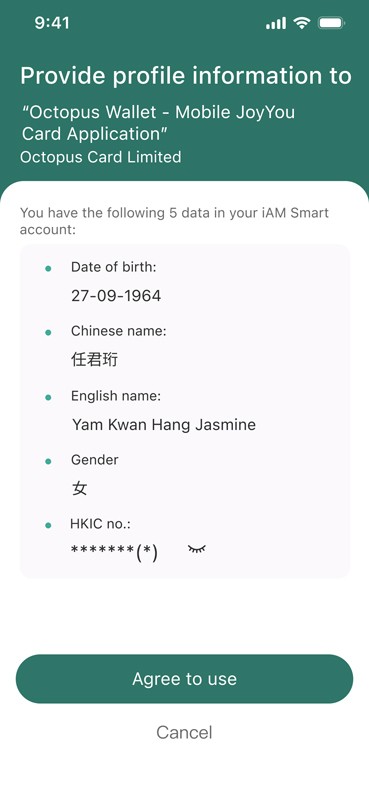
Tap “Continue with “iAM Smart”, then “Confirm” to open “iAM Smart” mobile app for identity verification.
(Please note: If you do not have an “iAM Smart” mobile app, please download the “iAM Smart” mobile app and log in first.)
9
In “iAM Smart” mobile app, tap “Agree” to provide the required personal data to Octopus Cards Limited.
10
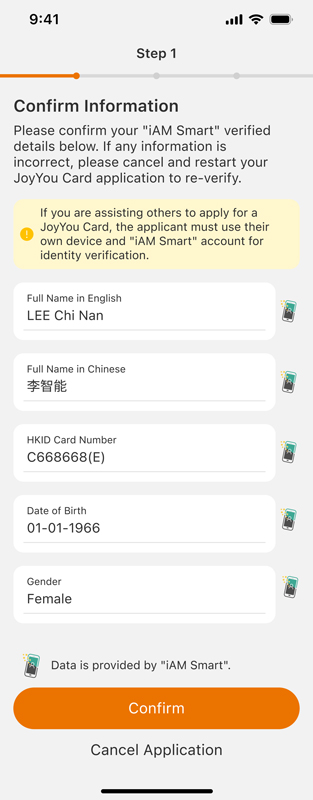
You will be redirected to the Octopus App to complete the remaining steps. Check the information and tap “Confirm”.
11
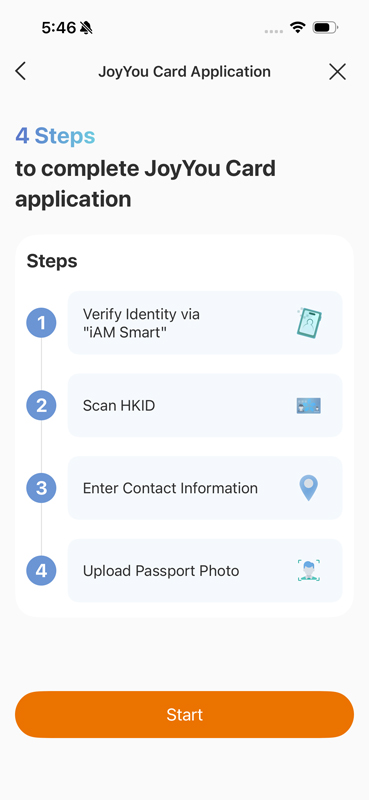
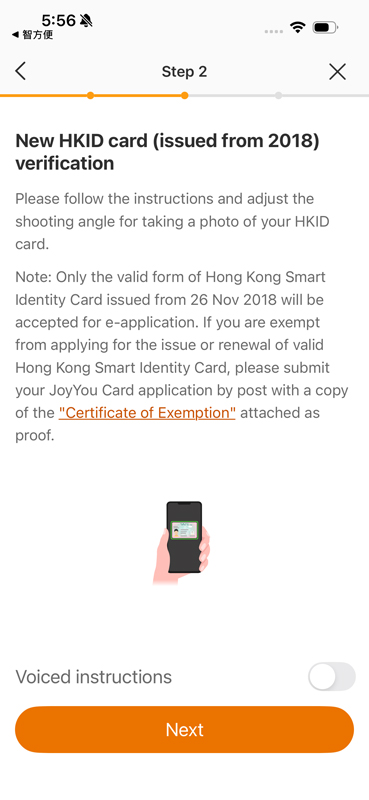
Tap “Start” to verify the Hong Kong Smart Identity Card. JoyYou Card applications accept only valid Hong Kong Smart Identity Cards¹ issued on or after 26 November 2018.
12
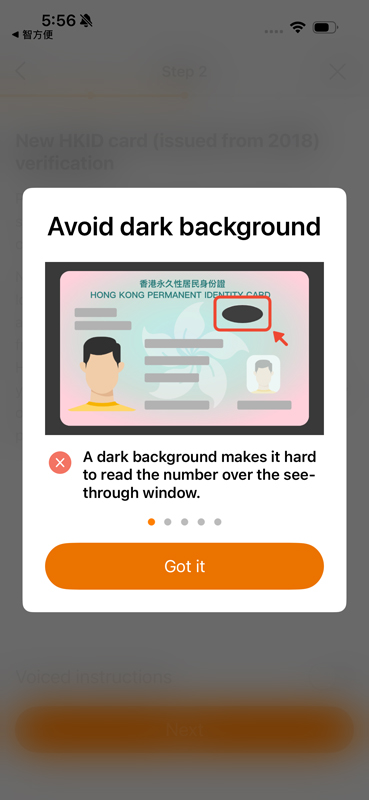
Tap “Got it” and follow the instructions to scan the Hong Kong Smart Identity Card.
13
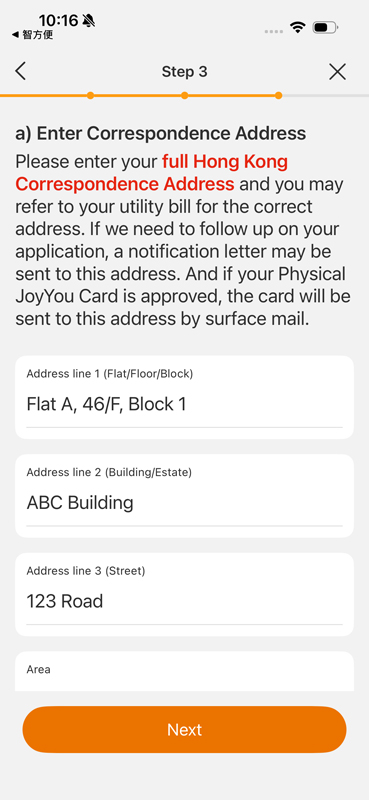
Enter the Hong Kong correspondence address, email address and mobile phone number. Please check that the mobile phone number and email address entered are correct so that you can receive SMS and email notifications. Then tap “Next”.
14
Review the photo requirements and tap “Upload Photo”. Choose “Photo Album” or “Take Photo”.
15
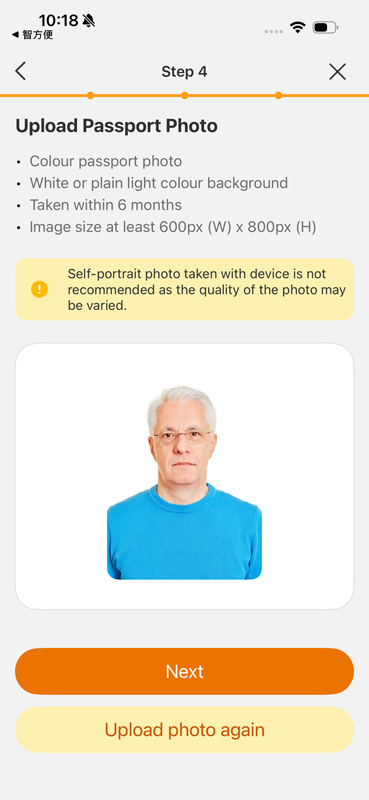
Preview the photo, then tap “Next”.
16
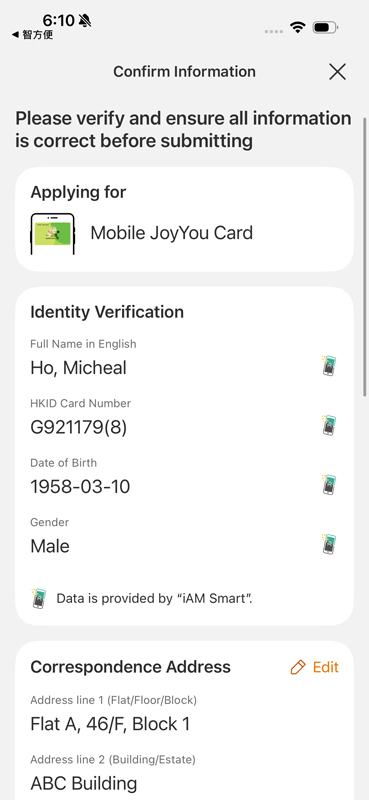
Check that all information is correct, then tap “Submit”.
¹ Persons exempted from applying for or replacing a valid Hong Kong Smart Identity Card should apply for a Physical JoyYou Card using a paper application form.
After the application has been submitted successfully, you will receive an application reference number. Please make a note of this reference number for future correspondence and enquiries. You may also download an image of the page or tap “Back to Home”.
After Submitting the Application
Approval of a Mobile JoyYou Card application normally takes approximately 2 weeks. Once the application has been approved, Octopus will send notifications by SMS and email. The notifications will include instructions on how to add the Mobile JoyYou Card to the mobile phone.
Please note: Octopus Cards Limited will not ask applicants to submit any personal information or pay any fees by SMS. Octopus Cards Limited will also not send messages to applicants through WhatsApp.
After receiving the application approval notification, open the Octopus App and tap “Add Mobile JoyYou Card”.
Can a Family Member Assist?
A family member may help prepare information and read the on-screen instructions. The applicant must use the applicant’s own phone and “iAM Smart” account to complete identity verification.