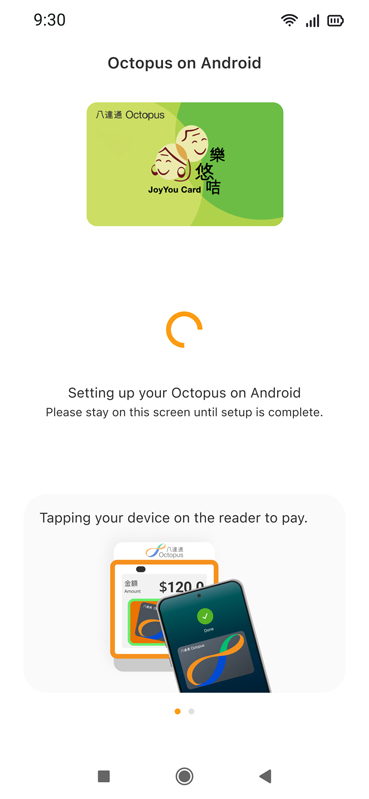
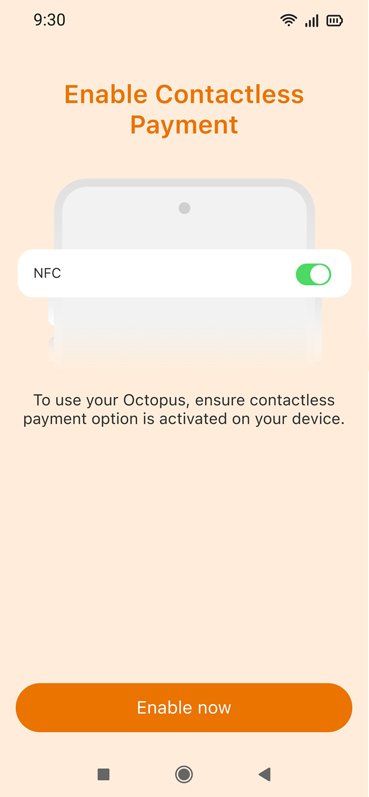
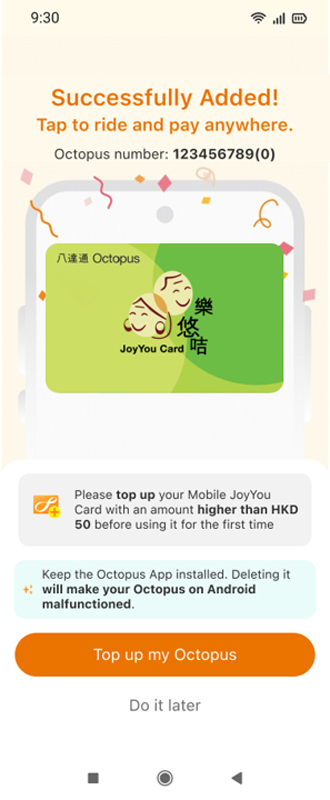
Complete This After Receiving the Approval Notification
After receiving an SMS or email from Octopus confirming approval, add the Mobile JoyYou Card to the phone through the Octopus App.
Check Before You Start
- You have received the approval notification for Mobile JoyYou Card (SMS and email);
- A compatible phone model and operating system* compatible with Mobile JoyYou Card;
- The latest versions of the following apps downloaded on the applicant’s phone:
- Octopus App;
- “iAM Smart” mobile app, with the applicant logged in to the “iAM Smart” account; and
- Octopus Wallet account (applicable to Android users).
* iPhone: iPhone 8 / iPhone 8 Plus or later with the latest version of iOS; Android Phone: Phones equipped with NFC functionality, running Android 12 or above, or EMUI 13 or above, sold by authorised retailers in Hong Kong. Click here for more details about Android phone models that have been tested and demonstrated good performance. Click here for more details about unsupported Android phone models. Mobile JoyYou Card is not applicable to Apple Watch and other smart watches.
Please Note
- Mobile JoyYou Card is not applicable to Apple Watch and other smart watches.
- An Android phone supports only one Mobile Octopus at a time. If you already have an Octopus on Android on your phone, please delete it and apply for a refund before adding Mobile JoyYou Card.
- Uninstalling the Octopus App will also remove Mobile JoyYou Card on Android from that phone and may cause the Mobile JoyYou Card to become malfunctioned, unless you have completed the necessary backup procedure.
- If you need to transfer the Mobile JoyYou Card to another phone, please complete the backup procedure in the Octopus App first.
Add a Mobile JoyYou Card
Steps for iPhone Users
1
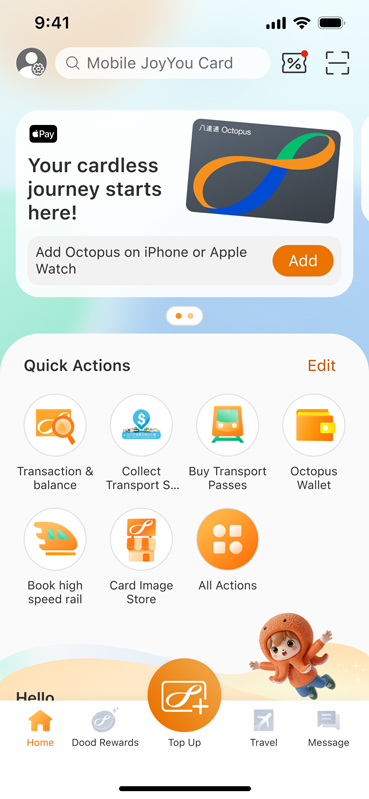
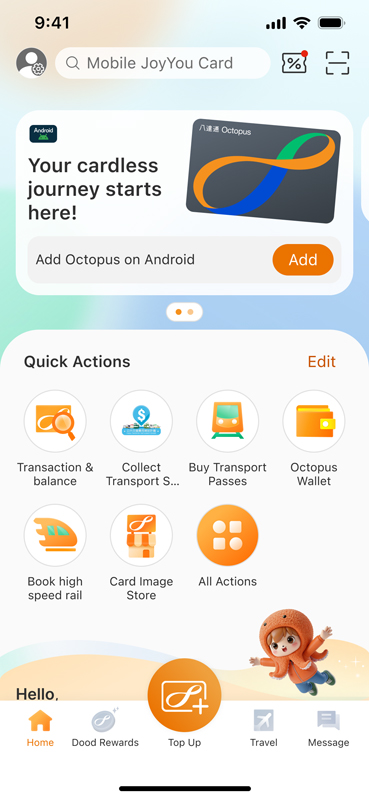
Open the Octopus App. Under “Quick Actions” on the main page, tap “All Actions”.
2
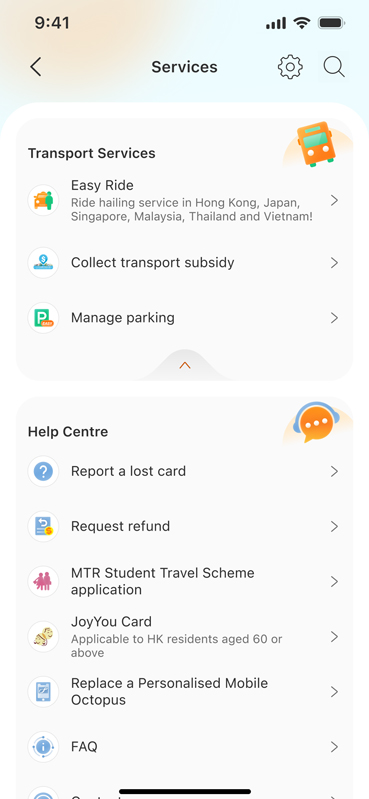
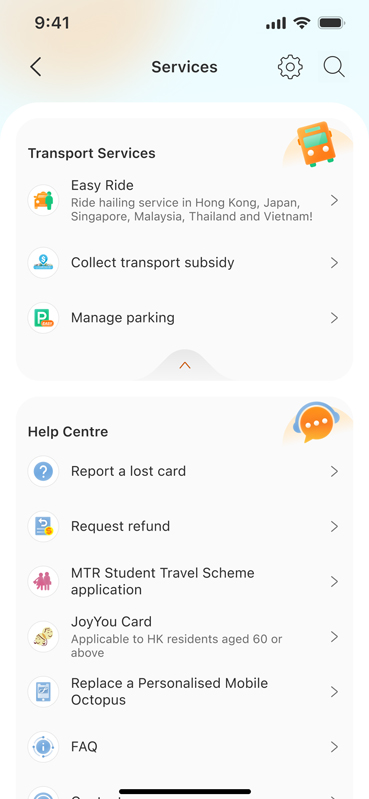
Tap “JoyYou Card” under “Help Centre”.
3
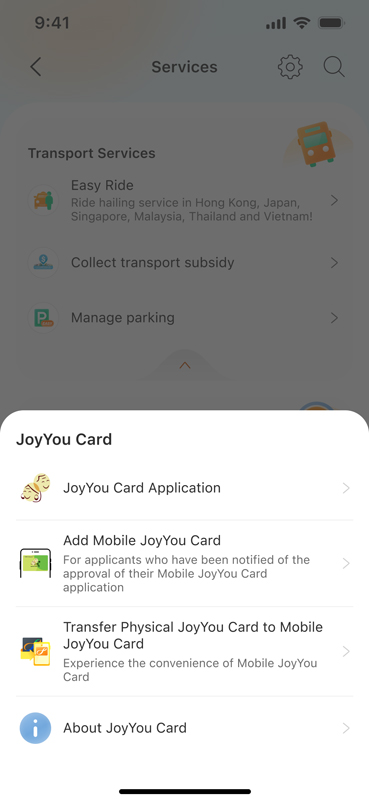
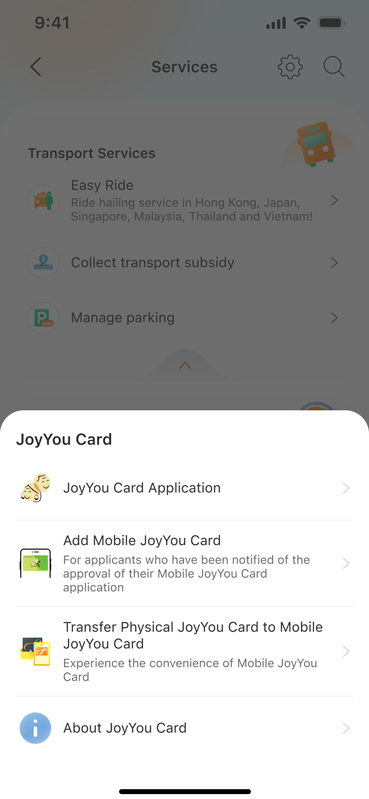
Tap “Add Mobile JoyYou Card”.
4
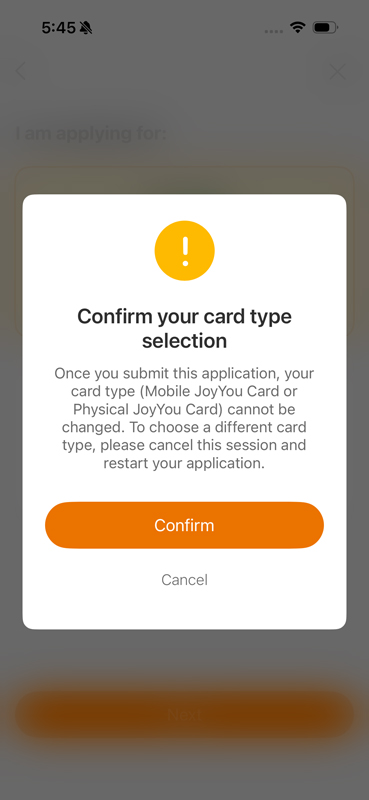
Confirm that you have received the approval notification by tapping “Yes, I have received it”.
5
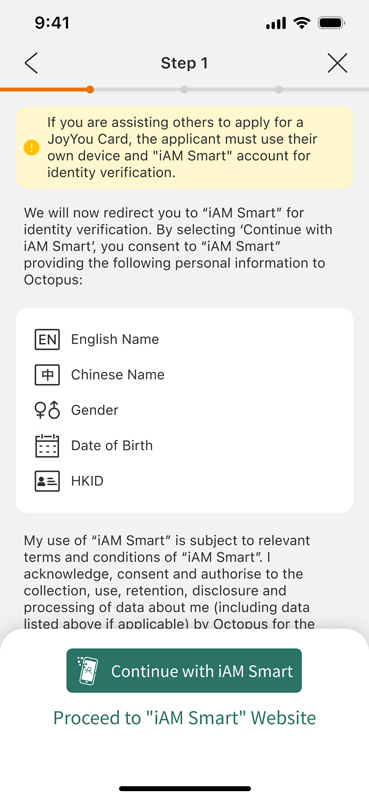
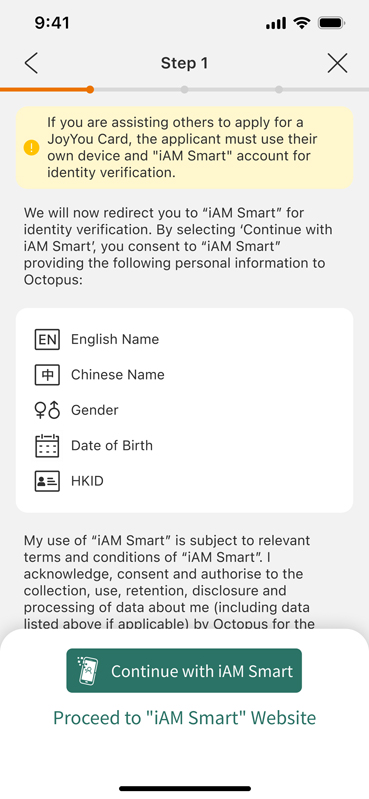
Tap “Continue with “iAM Smart”, then “Confirm” to open “iAM Smart” mobile app for identity verification.
(Please note: If you do not have an “iAM Smart” mobile app, please download the “iAM Smart” mobile app and log in first.)
6
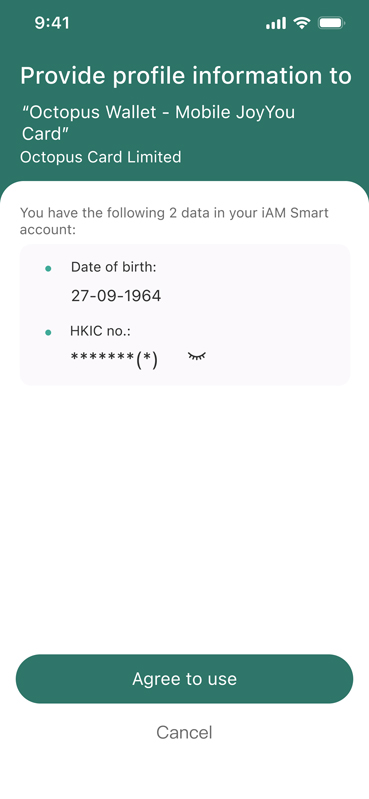
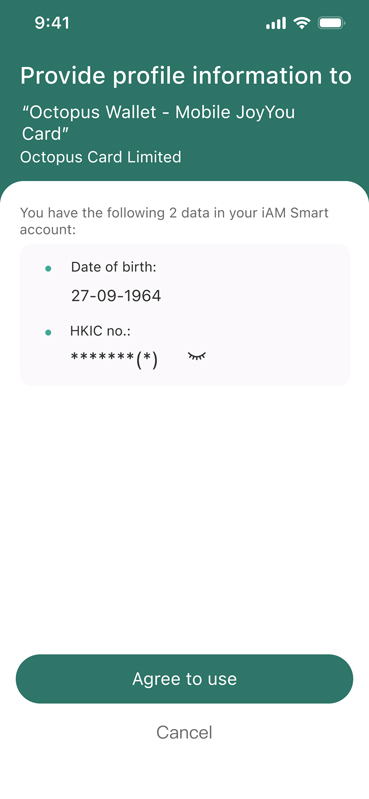
In “iAM Smart” account, tap “Agree” to provide personal data to Octopus Cards Limited.
7
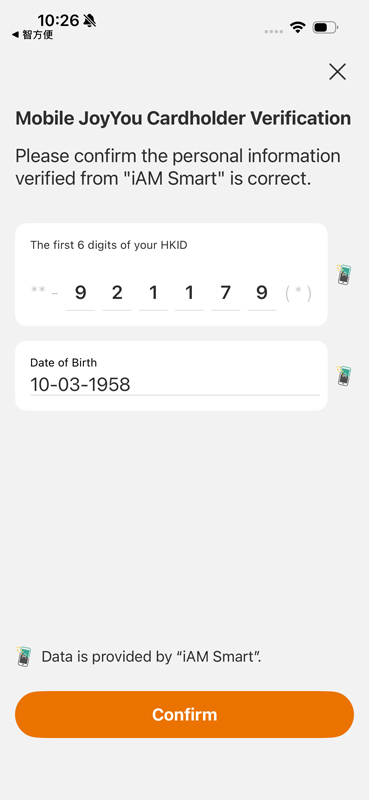
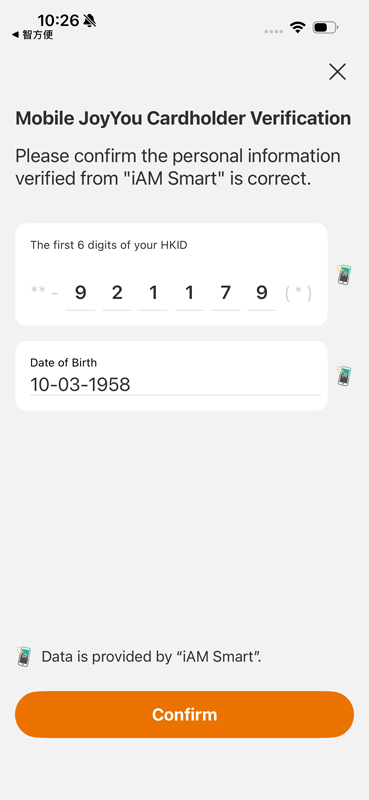
The page will be redirected to the Octopus App to complete the remaining steps. Check the first 6 digits of the HKID number and date of birth provided by “iAM Smart”, then tap “Confirm”.
8
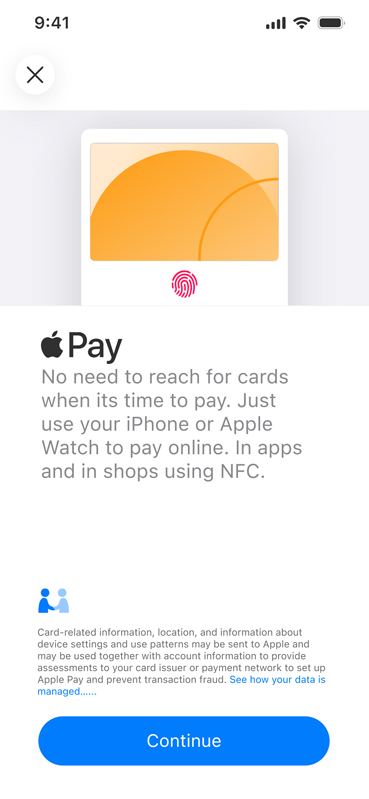
Follow the instructions to add Mobile JoyYou Card to Apple Pay.
9
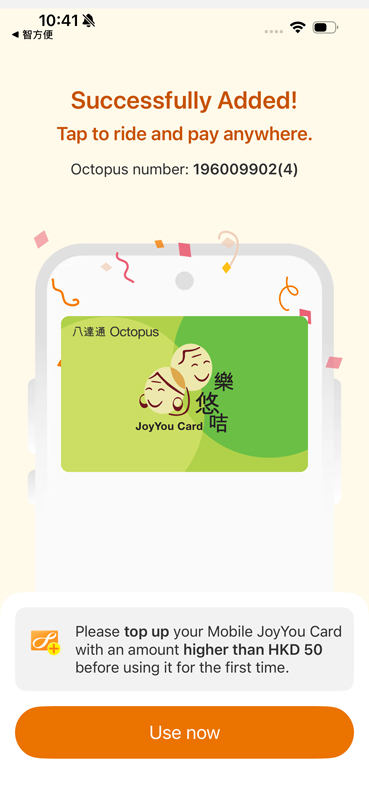
When successfully added, tap “Use Now”. Mobile JoyYou Card will appear in the Octopus App.
Reminder:
- Like a standard Octopus, a JoyYou Card requires a refundable deposit of $50. For the first top-up, please reload it with an amount higher than $50.
On the Octopus App main page, tap “Top Up Octopus”, select a top-up method and enter the top-up amount. Tap “Top Up Now” and follow the on-screen instructions to complete the top-up. Mobile JoyYou Card will then be ready for use.
- Hong Kong residents aged 60 or above may enjoy the $2 Scheme using a JoyYou Card. If the JoyYou Card is received and used before the cardholder reaches the age of 60, the adult fare will be charged.
Steps for Android Users
1
Open the Octopus App. Under “Quick Actions” on the main page, tap “All Actions”.
2
Tap “JoyYou Card” under “Help Centre”.
3
Tap “Add Mobile JoyYou Card”.
4
Confirm that you have received the approval notification by tapping “Yes, I have received it”.
5
Tap “Continue with “iAM Smart”, then “Confirm” to open “iAM Smart” mobile app for identity verification.
(Please note: If you do not have an “iAM Smart” mobile app, please download the “iAM Smart” mobile app and log in first.)
6
In “iAM Smart” account, tap “Agree” to provide personal data to Octopus Cards Limited.
7
The page will be redirected to the Octopus App to complete the remaining steps. Check the first 6 digits of the HKID number and date of birth, then tap “Confirm”.
8
Follow the instructions to add Mobile JoyYou Card to the Android phone.
9
Turn on NFC. Set the default payment app as “Google Pay” / “Google Wallet”, “Android operating system” for Samsung devices, or “Octopus” for Huawei devices.
10
Mobile JoyYou Card added successfully.
Reminder:
- Like a standard Octopus, a JoyYou Card requires a refundable deposit of $50. For the first top-up, please reload it with an amount higher than $50.
On the Octopus App main page, tap “Top Up Octopus”, select a top-up method and enter the top-up amount. Tap “Top Up Now” and follow the on-screen instructions to complete the top-up. Mobile JoyYou Card will then be ready for use.
- Hong Kong residents aged 60 or above may enjoy the $2 Scheme using a JoyYou Card. If the JoyYou Card is received and used before the cardholder reaches the age of 60, the adult fare will be charged.
After Completion, Check That:
- Mobile JoyYou Card appears in the Octopus App;
- The balance is correct; and
- The correct cardholder name and photo appear under “Card Details”.
During Ticket Inspection
Octopus App is the designated ticket inspection interface for Mobile JoyYou Card.
On the Octopus App main page, tap “Card Details” to display all your Mobile JoyYou Card information, including the photo, name and card number, together with a real-time timestamp for verification.
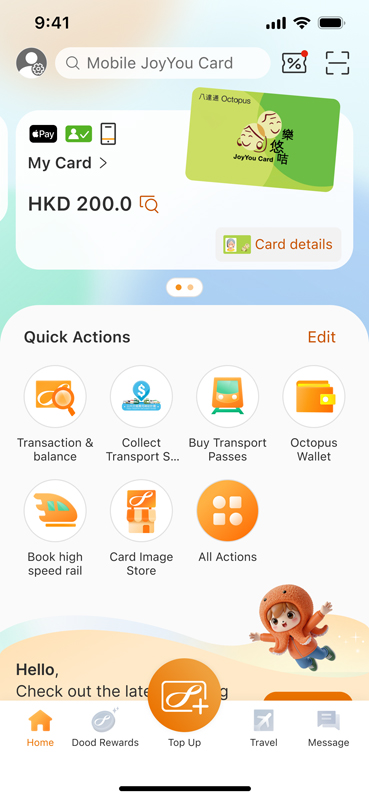
On the Octopus App main page, tap “Card Details”.
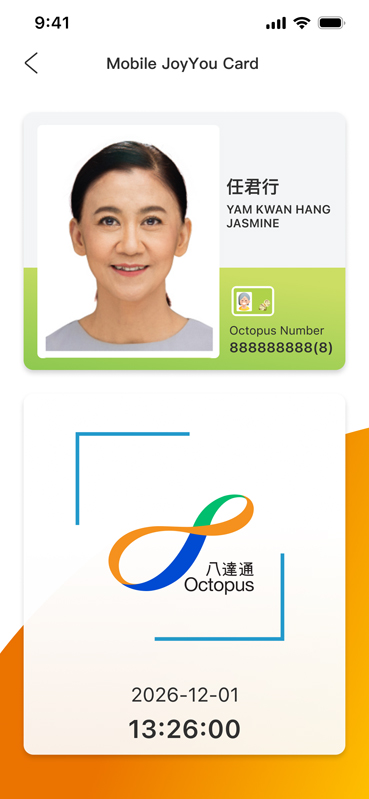
Display all your Mobile JoyYou Card information, including the photo, name and card number, together with a real-time timestamp for verification.
Important
Octopus App is the designated ticket inspection interface for Mobile JoyYou Card. Please ensure that, under all circumstances, the Octopus App is installed and updated to the latest version on your mobile phone, and that your phone has sufficient battery power to cooperate with the ticket inspections.
When requested by public transport operators and authorised personnel to verify your identity, please tap "Card Details" on the Octopus App main page to show your JoyYou Card details (including photo, name and card number) and a real-time timestamp for inspection. Otherwise, the public transport operators and authorised personnel may require you to pay the full fare and reserve the right to redress.