Octopus Card Image Store
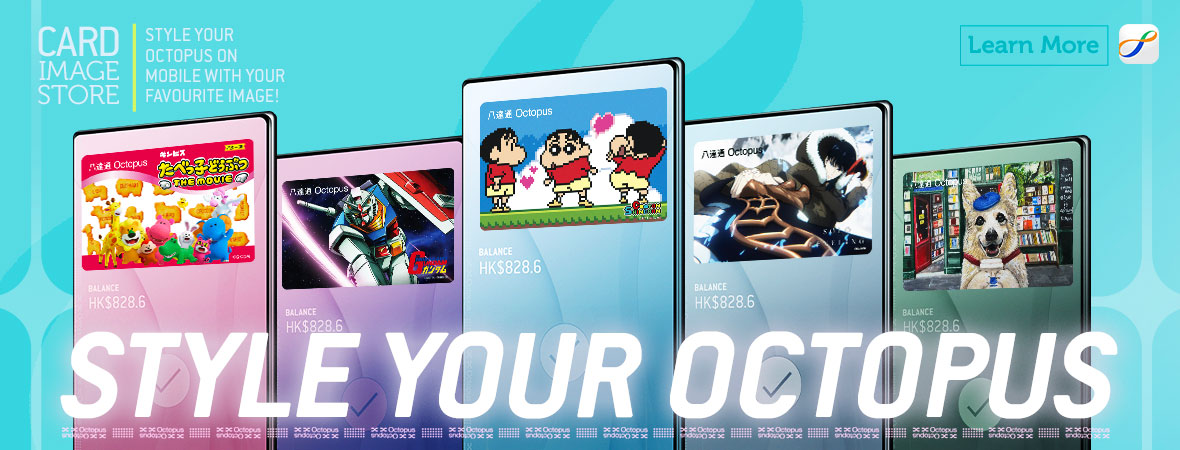
You can now choose your favourite card images for your Octopus on iPhone and Apple Watch or Octopus on Android from the Octopus Card Image Store in Octopus App, making every tap for transportation and shopping more fun!
From now until 30 September 2026 (the “Promotion Period”), new customers who add an Octopus to an iPhone or Apple Watch, or Octopus on Android, can enjoy a free card image of your choice*!
With the new feature in Octopus App, you can choose your beloved card image for your Mobile Octopus to make every tap more fun.
Choosing Your Card Image
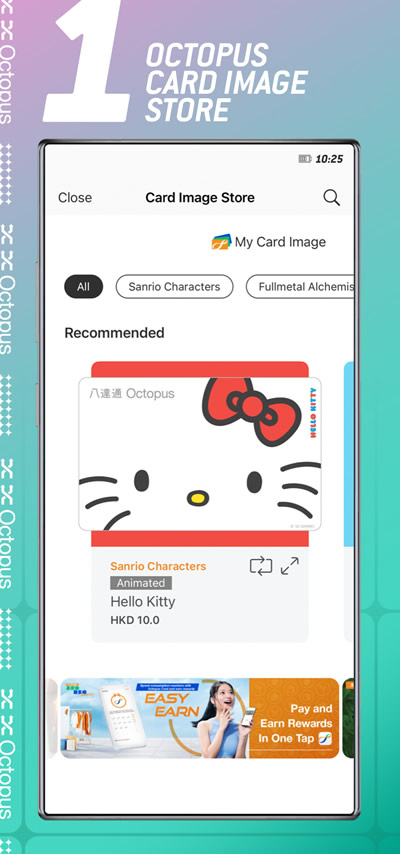
There are a variety of card image designs available in "Octopus Card Image Store" in the Octopus App for you to choose from.
Applying Your Card Image
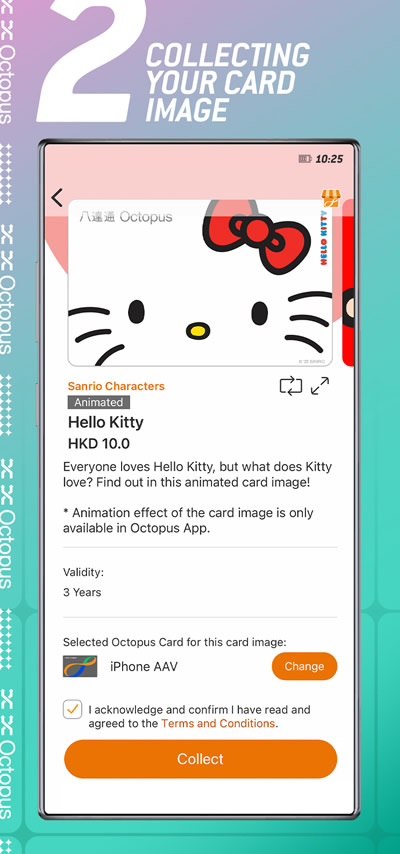
The selected card image is ready to apply to your Mobile Octopus instantly, making every tap for transportation and shopping more fun!
Changing Your Card Image
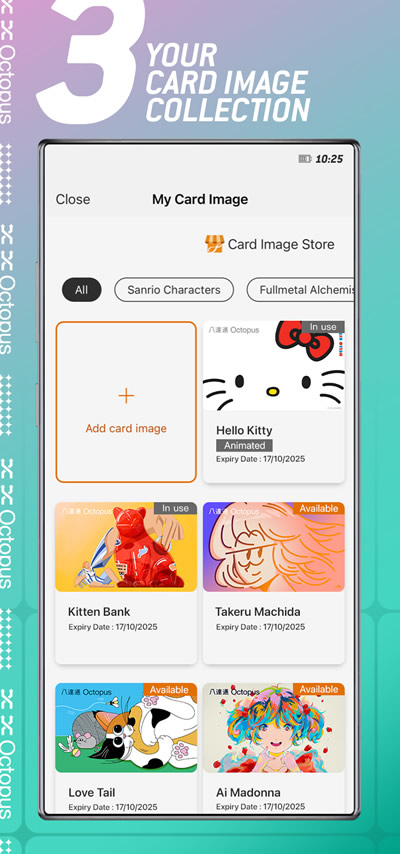
You can view all of your card image collections in "My Card Image" and apply different card images to your Mobile Octopus anytime to match your mood or style
Note:
- Choose your Octopus card image function is only applicable to Adult and Personalised Octopus on iPhone and Apple Watch and Octopus on Android. This feature is not applicable to Elder and Citi Octopus Card on iPhone.
- The Octopus card image should be used together with the Octopus App and Octopus Wallet.
- When acquiring the Octopus card image, please make sure you have added an Octopus to your iPhone or Apple Watch and are logged into the Octopus Wallet.
*Remarks:
- The free card image is only applicable to customers with eligible devices that did not have Octopus on iPhone or App Watch or Octopus on Android added before the Promotion Period.
- The free card image is not applicable to Elder Octopus, Octopus added via Octopus App for Tourists and Citi Octopus Card on iPhone.
- Terms and conditions apply. Please click here for more details.